
Picking the right label printing machine in the UK is a huge decision for any business that deals with products, shipping, or stock control. Get it right, and you’ll see a real boost in how smoothly things run. Get it wrong, and you’re looking at frustrating delays and costly mistakes. So, let’s walk through the key things you need to think about before you even start looking at models.
Before you get lost in a sea of specs and features, the best place to start is with a good, honest look at your own business. What do you really need?
Taking the time to map out your internal processes first is critical. It gives you a clear checklist of requirements, stopping you from splashing out on a machine with fancy features you’ll never use, or worse, buying one that can’t handle your workload. A bit of upfront thinking confirms your money is well spent.
A great starting point is your daily print volume. Are you a small boutique printing a couple of hundred price tags a day, or a massive warehouse churning out thousands of shipping labels around the clock? The machine you need will be vastly different.
Next up, think about how tough your labels need to be. If you’re just printing shipping addresses for parcels, they only need to last a few days. But if you’re creating product labels or asset tags for equipment, those labels have to survive handling, moisture, and big temperature swings for months, or even years.
You also have to see how a new printer will fit in with the tech you already use. Connectivity and software compatibility are non-negotiable for a smooth workflow. The last thing you want is to be stuck entering data by hand because your new printer won’t talk to your inventory management system. Sorting these factors out lays the groundwork for making a smart choice, and you can get more information by navigating options for label printing machines.
Choosing a printer is less about finding the “best” one and more about finding the right one for your specific workflow. A machine that is perfect for one business could be completely unsuitable for another.
The push for better labelling isn’t just happening in your business; it’s a trend across the board. The UK’s label printer market is on a serious growth trajectory, expected to climb from an estimated USD 553.9 million in 2025 to a massive USD 836.4 million by 2035. This just goes to show how much businesses in retail, logistics, and manufacturing are relying on solid, dependable labelling. Even looking at other print sectors, a guide to selecting a DTF printer highlights how important it is to match machine performance to your specific goals.
The engine inside a label printer is what really matters. It dictates everything from your running costs to how long your labels will actually last. Here in the UK, the two main technologies you’ll come across are direct thermal and thermal transfer. Getting to grips with how each one works is the first step to picking the right machine for your business.
Think of direct thermal printing like the receipt printer at your local supermarket. It’s wonderfully simple because there’s no ink or ribbon involved. The magic happens when the print head applies heat directly onto special, chemically treated paper. The paper turns black where it’s heated, creating your text or image.
Because you’re not buying ribbons, this method is straightforward and keeps costs down for short-term jobs. Your only real consumable is the labels themselves.
Direct thermal is the go-to choice for labels that don’t need to hang around for long. It’s fast, efficient, and perfect for situations where long-term durability just isn’t a priority.
You see it everywhere for good reason. Common uses include:
This technology is ideal for high-volume, temporary labelling where speed and low running costs are the name of the game. Just remember, these labels are sensitive to light and heat, so they will fade over time, making them a poor choice for long-term product identification.
Thermal transfer printing takes a different approach, one that’s more like a traditional printer using a ribbon. The print head heats a wax or resin-based ribbon, which then melts the ink directly onto the label material. This process creates a bond that produces a much tougher, longer-lasting print.
Labels made this way can take a beating. They stand up to heat, sunlight, moisture, and general wear and tear. For any UK business needing labels to stay clear and scannable for months or even years, thermal transfer is the only way to go. To find out more, you can read a guide to printer thermal transfer which breaks down how this technology safeguards your information.
This infographic shows just how much the right label printing technology can benefit a UK business.
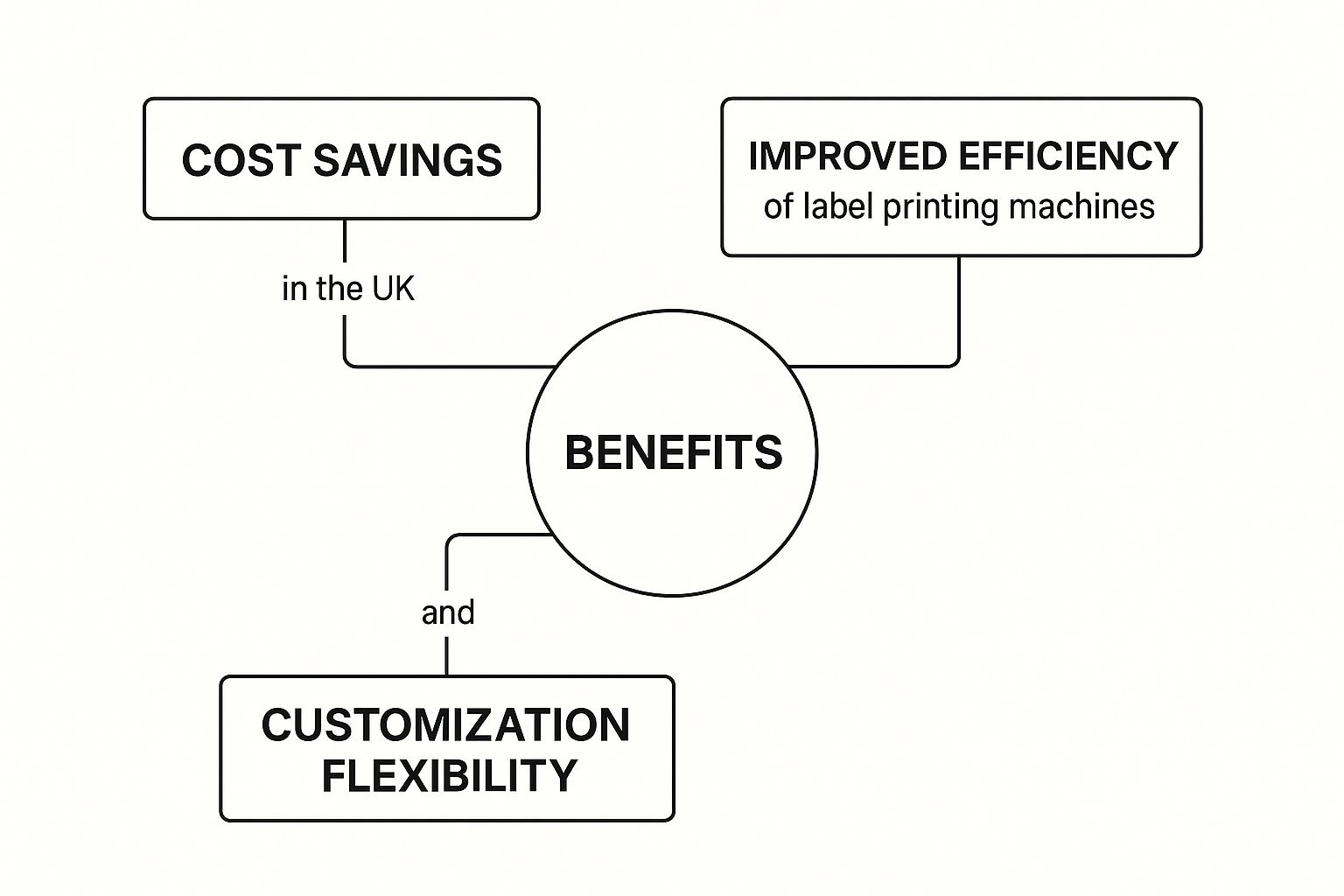
As you can see, a well-chosen system is about more than just printing; it directly impacts cost savings, efficiency, and your ability to customise.
So, which one is right for you? Your choice really boils down to what you need your labels to do. Each technology has its own set of pros and cons that will influence everything from your upfront investment to long-term running costs. It’s also worth seeing that broader printing needs, like those for large events requiring expo printing services, often involve a mix of technologies, showing the importance of matching the tech to the task.
To help you decide, here’s a quick side-by-side comparison.
| Feature | Direct Thermal | Thermal Transfer |
|---|---|---|
| Print Durability | Low – Fades over time, sensitive to heat/light | High – Resistant to heat, chemicals, and abrasion |
| Consumables | Labels only | Labels and ribbons |
| Initial Cost | Generally lower printer cost | Generally higher printer cost |
| Cost Per Label | Lower, as no ribbon is needed | Higher, because of the cost of ribbons |
| Maintenance | Fewer moving parts, simpler to maintain | Print head may require more frequent cleaning |
| Best For | Short-term uses like shipping and receipts | Long-term uses like asset tracking and product ID |
It’s a trade-off. Direct thermal offers brilliant simplicity and lower running costs, but at the expense of longevity. Thermal transfer, on the other hand, gives you incredibly resilient labels that last. For many UK businesses in sectors like manufacturing and logistics, the durability of thermal transfer isn’t just a nice-to-have-it’s necessary for maintaining operational integrity and meeting compliance standards.
When you step into the fast-paced world of manufacturing, logistics, or large-scale retail, you’ll quickly realise an industrial label printing machine isn’t just a nice-to-have; it’s a part of the operation. These are the heavy-duty workhorses of the labelling world, designed to do a job that smaller, desktop printers simply can’t handle. They are built for places where resilience and reliability are non-negotiable.
Unlike their office-based cousins, industrial printers are built tough. They often feature rugged, all-metal casings to protect them from the dust, temperature swings, and vibrations you’d expect on a factory floor or in a busy warehouse. This strong design shields the delicate components inside, making certain the printer keeps running smoothly, day in and day out.
For any UK business where continuous production is key, this kind of resilience is critical. Any downtime can cause serious bottlenecks, and these machines are engineered from the ground up to prevent that from happening.
The real difference with industrial label printers is their sheer output. We’re talking about machines engineered to print thousands of labels every single day without breaking a sweat. This impressive performance comes from a combination of much faster print speeds and the ability to hold giant label rolls.
The benefit of using larger media rolls is simple but has a massive impact on productivity. It means you’re changing rolls far less often, which translates to less downtime and more time actually printing. For a distribution centre pushing thousands of packages out the door every hour, that’s a huge efficiency win.
Here’s what sets them apart:
Think of it this way: these machines are built for environments where if the labelling stops, the entire supply chain stops. Their whole design is focused on maximising uptime and pushing through as much work as possible.
Today’s industrial operations are all about interconnected systems. An industrial label printer has to slot cleanly into a company’s existing network and software. That’s why these machines come with a much broader array of connectivity options than standard printers.
While you’ll find USB ports, Ethernet is a standard feature. This allows the printer to live on the network, accessible from multiple computers or a central server. Many models also offer Wi-Fi, which gives you the freedom to place the printer wherever it’s needed most without being tied down by cables-a massive plus in a sprawling warehouse.
This network capability is fundamental for automated labelling. For instance, a warehouse management system can fire off print jobs directly to a machine on the packing line the moment an item is scanned. This gets rid of manual data entry and cuts down on human error, a common issue that businesses can tackle by understanding how to solve industrial labelling challenges.
The importance of these machines in key sectors is clear when you look at market trends. Industrial label printers are expected to hold around 50% of the market share by 2025, a growth fuelled by their key role in manufacturing and logistics. Their dominance really shows how critical they are for producing the durable, high-quality labels needed for compliance and tracking in the UK’s toughest industries-from pallet labelling in distribution hubs to chemical drum identification in manufacturing plants.
While hefty industrial machines are built for the factory floor, not every UK business needs that kind of power. In fact, for most small to medium-sized companies, space is tight and high-volume output just isn’t the priority. This is where desktop and mobile label printers come into their own.
These compact, user-friendly devices are designed for convenience, bringing professional-quality labelling to offices, retail stores, and even staff on the move. They offer a practical and accessible solution for everyday tasks.
Think of a desktop label printer as the perfect office sidekick. It’s designed to sit neatly on a desk, a retail counter, or in a mailroom without hogging precious workspace. Its small size and simple operation make it a natural fit for daily business tasks that need to be done efficiently, but don’t require industrial-scale speed.
These printers are brilliant at handling smaller, routine jobs with ease. They are the go-to choice for creating sharp, professional-looking labels for all sorts of common applications.
Desktop label printers are the unsung heroes of many administrative and retail operations across the UK. Their real strength is their simplicity and reliability for the jobs that keep a business organised and ticking over.
You’ll find them being used for things like:
These devices are generally a breeze to set up, often just connecting directly to a computer with a USB cable. This straightforward approach means staff can get printing with minimal fuss or training.
Desktop printers neatly fill the gap between scribbling labels by hand and investing in a full-scale industrial system. They give small businesses the tools to manage stock, shipping, and organisation professionally, without the hefty price tag or physical footprint of a larger machine.
But what about jobs that can’t be tied to a desk? This is where mobile label printers offer real freedom. These handheld, battery-powered devices are built for printing on the move, connecting wirelessly to smartphones, tablets, or handheld terminals.
This portability completely changes the game for workers who need to create labels right at the point of application.
Imagine a retail assistant on the shop floor during a sale. Instead of trekking back to the office to print new price tags, they can create and stick on markdown labels right there in the aisle. It’s not just a time-saver; it also dramatically cuts down the risk of pricing mistakes.
The value of mobile label printing machines in the UK shines brightest in fast-paced environments where speed and flexibility are everything. Their design is all about durability and being easy to use out in the field.
A few features make them so effective:
This mobility is a game-changer in several key areas. In a stockroom, an employee can label new inventory the second it arrives. At a local market stall, a vendor can print receipts or price labels on the spot. For field service engineers, it means creating asset tags for equipment they’ve just serviced, making certain there is accurate tracking from day one. This makes them a powerful tool for any modern, agile workforce.
Think of barcodes as the quiet conductors of modern commerce. They orchestrate the complex journey of goods from the factory floor right into a customer’s hands. The specialised barcode printers that create them are the backbone of the UK’s retail, logistics, and healthcare sectors.
These aren’t your average office printers. They are precision instruments, engineered to do one thing exceptionally well: generate crisp, clean, and instantly scannable codes. It’s this precision that makes accurate stocktakes, effortless checkouts, and efficient shipping possible. Without them, the incredible speed of today’s supply chain would simply grind to a halt.
The quality of a printed barcode isn’t just a minor detail; it’s everything. A code with slightly blurred lines or poor contrast is as good as useless. This single point of failure can trigger a cascade of problems: scanning errors, manual data entry, incorrect shipments, and costly delays that ripple through the entire system.
This is why sticking to industry standards, like those from GS1, is non-negotiable. GS1 barcodes are the universal language of global trade, and printers must produce them perfectly to be understood. A high-quality printer gives you the consistency to confirm every single code is read successfully on the first scan, every time.
A barcode is more than a pattern on a label. It’s a key that unlocks a product’s entire story. The printer’s job is to cut that key with such precision that it fits every lock it encounters on its journey.
Your choice of printer directly affects your operational flow. A sharp, clear barcode allows a parcel to be sorted automatically in a busy depot. A faulty one? That requires someone to step in and handle it manually, slowing the whole process down. This is precisely why the label printing machines UK businesses rely on are chosen for their proven barcode performance.
The explosion of e-commerce has put colossal pressure on UK logistics. Every single parcel zipping through the network needs a reliable barcode to track it from a warehouse shelf to a customer’s front door. It’s this incredible volume that’s driving the demand for barcode printing technology.
The UK barcode printer market is on a steady upward trajectory. Projections show its value could hit USD 750 million by 2035, marking an annual growth rate of around 5.8%. This isn’t surprising, considering how heavily retail, logistics, and healthcare depend on barcodes to run smoothly and stay compliant.
To keep up, businesses need the right equipment. Barcode printers are needed for implementing effective small business inventory management strategies, turning abstract stock data into a physical, scannable reality on every item.
While every sector has its unique challenges, the need for accurate barcodes is the common thread tying them all together. Choosing the right printer and the correct label for a barcode printer is fundamental, but the basic need for reliable data remains the same.
The best way to grasp the importance of these machines is to see them in action. This table breaks down how different printers are used across major sectors in the UK.
| Industry | Primary Application | Recommended Printer Type |
|---|---|---|
| Retail | Price tags, shelf-edge labels, point-of-sale receipting, stockroom management. | Desktop or Mobile Printers |
| Logistics & Warehousing | Shipping labels, pallet tracking, inventory control, rack labelling. | Industrial or Mobile Printers |
| Healthcare | Patient wristbands, specimen and sample tracking, medical records, pharmacy labelling. | Desktop or Specialist Wristband Printers |
| Manufacturing | Product identification, work-in-progress tracking, component labelling, compliance labels. | Industrial or Desktop Printers |
| Food & Beverage | Date coding, ingredient lists, traceability labels, allergen warnings. | Desktop or Industrial Printers (with durable labels) |
As you can see, the applications are incredibly varied. Here’s a closer look at a few examples:
This really highlights that a barcode printer is far more than just a piece of hardware. For countless UK businesses, it’s a central pillar of their operational success, bridging the gap between a physical product and its digital twin.
Alright, you’ve settled on the right type of printing technology for your business. Now comes the tricky part: sifting through all the different label printing machines UK suppliers have on offer. Getting bogged down in technical jargon is easy, but if you know what to look for, you can quickly find the perfect fit.
Don’t let the spec sheets overwhelm you. A few key features really make a difference day-to-day. Let’s break down what actually matters for your operations.
Let’s talk about print resolution. This is measured in Dots Per Inch (DPI), and it’s a bit like the resolution of your TV screen-the more dots, the sharper the picture. For simple shipping labels with big, bold text, 203 DPI will do the job just fine. But if you’re printing intricate logos, tiny text, or complex QR codes, you’ll want to step up to 300 DPI or even 600 DPI. A fuzzy barcode that won’t scan is a real headache you don’t need.
Then there’s print speed, measured in inches per second (IPS). A standard desktop printer might manage around 4-6 IPS, which is plenty for occasional office use. In a busy warehouse or on a production line, that would create a serious bottleneck. That’s where industrial machines come in, clocking speeds of 12 IPS or more to keep things moving.
The maximum print width is a simple but critical detail. Before you even start browsing, grab a ruler and measure the largest label you’ll ever need to print. Make sure the machine you choose can handle that width with a bit of room to spare. Trust me, realising your new printer is too narrow is a costly and frustrating mistake.
How will the printer talk to your computer? Connectivity is key to making sure it slots neatly into your current workflow.
Don’t forget about software compatibility! It’s just as important as the hardware. Always double-check that the manufacturer provides drivers for your operating system and that the printer plays nicely with your design, inventory, or shipping software.
Finally, think about the long run. What happens when you hit a snag? Choosing a supplier that offers solid, UK-based technical support can be a lifesaver. Having an expert on the end of the phone who can get you back up and running quickly is worth its weight in gold.
Looking into the world of label printers can feel a bit overwhelming, and it’s natural to have a few questions. We see the same queries pop up time and again from businesses across the UK, so let’s get you some straight answers to help you feel confident about your choice.
That’s a great question, but the answer really hinges on the machine and how you use it. Think of it like a car – a family runabout won’t last as long as a heavy-duty lorry if you’re using it for constant, heavy haulage.
A standard desktop printer in an office, with regular use, should give you a solid 5-7 years of service. On the other hand, a rugged industrial model built for a busy warehouse floor, running almost non-stop, is engineered for a much longer life and can easily push past a decade with the right care.
It’s also good to remember that print heads are a consumable part. Their lifespan is measured in kilometres printed, not years, and replacing them is just a normal part of keeping your machine in top working order.
Most label printers come bundled with their own basic software, which is usually more than enough to get you started. You’ll be able to design simple labels with text, barcodes, and logos without any fuss.
If your needs are a bit more complex – say, you need to pull product information from a database or integrate with your stock control system – you’ll want to look at specialised third-party software. The most critical thing is to confirm the printer has drivers that play nicely with your operating system, whether that’s Windows, macOS, or something else.
The software is every bit as important as the printer itself. You can have the most powerful machine on the market, but if the software can’t drive it properly, you’ll never get the labels you need for your specific workflow.
For expert advice and a full range of labelling solutions designed for your business, trust Sessions UK. Find the perfect machine for your needs at https://sessionsuk.com.

Learn how an RFID clothing tag can streamline retail operations and boost inventory accuracy. Discover benefits and implementation tips today.

Discover how asset tracking labels work for UK businesses. This guide covers barcode vs. RFID, materials, and how to build your asset management system.

A practical guide to labelling glass jars. Learn about machines, adhesives, and UK compliance to get a professional finish for your products.
Copyright © 2026 Sessions Label Solutions Ltd.